
All of our templates use this Module positions map

Go to the Back-end
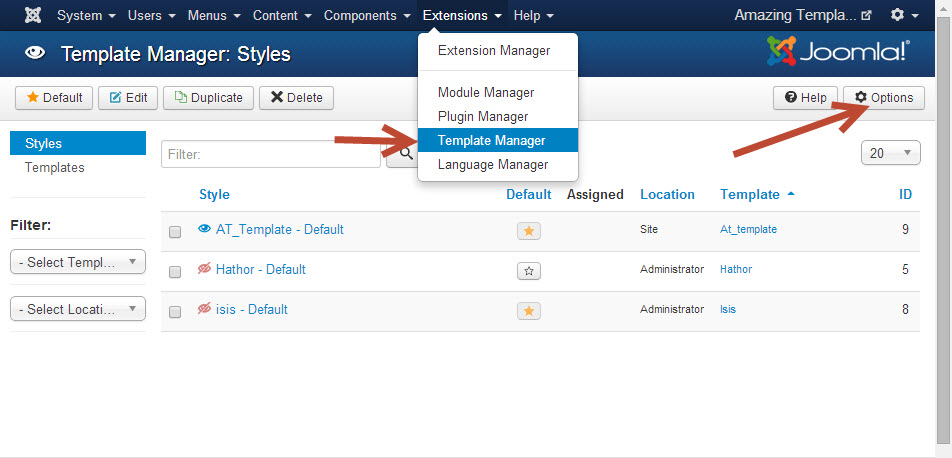
Select Extensions > Template Manager
Then click on the "Options" button
In the Template Tab, Enable the Preview Module Positions options then Save & Close

Back to the Template Manager, and click on the Eye Icon of the template that you want to view positions
Or add the "?tp=1" at the end of the link page that you want to view positons like this
